
Getting Started#
The api is reachable at this endpoint.
https://api.cloudplan.net/
Authentication with the API#
Authentication uses api-keys which are managed in the portal and bound to a specific user. Which means that every request runs in a user context. The authenticated user must have permissions for the given actions that are being performed and the user must have an active license for api usage.
Two authentication methods are available:
AWS4-HMAC (AWS Signature Version 4)
The default option when an api key is created in the portal. It is the most secure option since it doesn’t transmit secret information in clear text, but not natively supported in every library or tool. Uses an api-key and secret.
api-key header
Very simple solution, uses the api-key as a header in every request. This method must be enabled in the api keys settings in the portal by checking the insecure checkbox.
curl --header "api-key: 695f8c0c345e8fabb88c57c9086b0b76" https://api.cloudplan.net/api/folder/root
Creating an API Key#
API Keys for each user are managed on the user edit page here: https://portal.cloudplan.net/app/user/
Postman Collection#
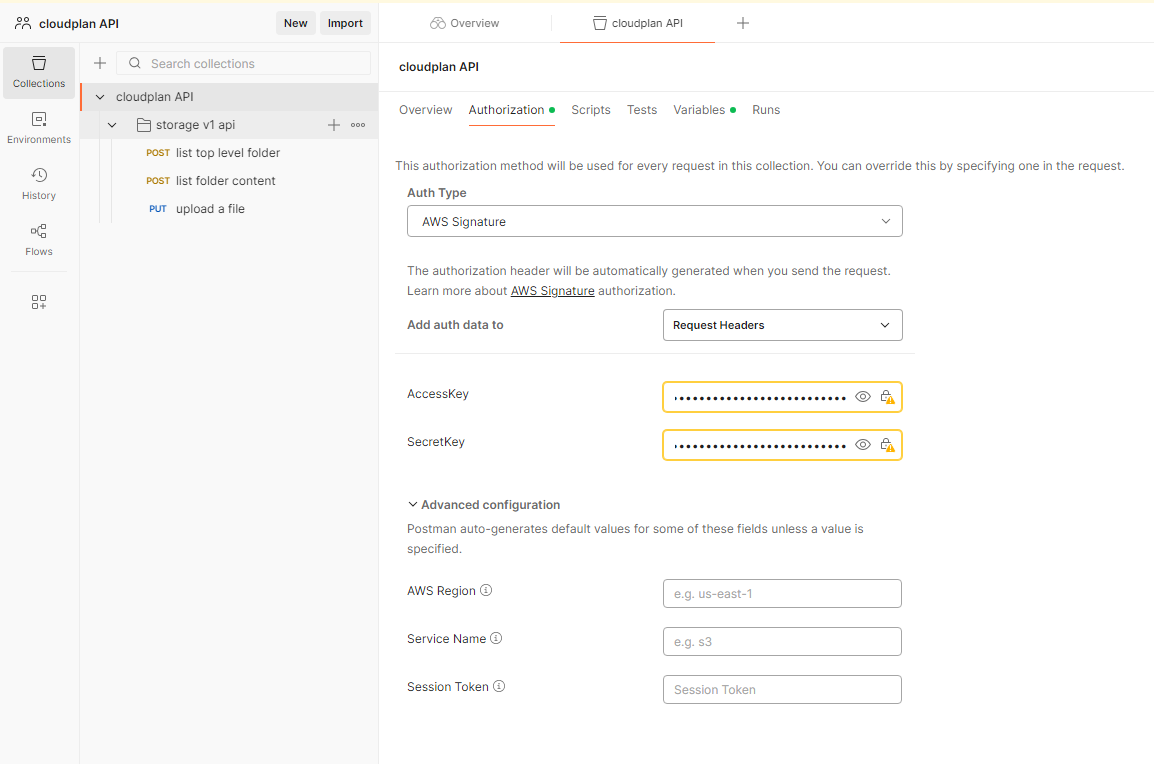
There is a postman collection with all requests described in this documentation. Download here: cloudplan API.postman_collection.json.
To use the collection import it into postman and put your api-key and secret in the authentication tab of the collection settings.
API Reference#
All accessible api functions are documented in the API Reference
Concepts#
Some objects used by the api or complex mechanics are in Concepts. E.g. query options for the datatables.